
🧠 How I Taught My 10-Year-Old to Code with Scratch (No Tech Skills Needed) - Scratch Coding for Kids
- SullyBully

- Jul 11, 2025
- 2 min read
Why We Wanted to Try Coding with this Scratch Coding for Kids
Like a lot of parents, I wanted my kid to spend less time watching mindless YouTube videos and more time doing something creative, like learning scratch coding for kids. I kept hearing about how important coding is for the future — but I had no idea where to start.
I’m not a software engineer. I’ve never written a line of code. But I figured: if my 10-year-old can learn, maybe I can learn alongside them.
Turns out, we found the perfect entry point: Scratch.
What Is Scratch, and Why Is It So Kid-Friendly?
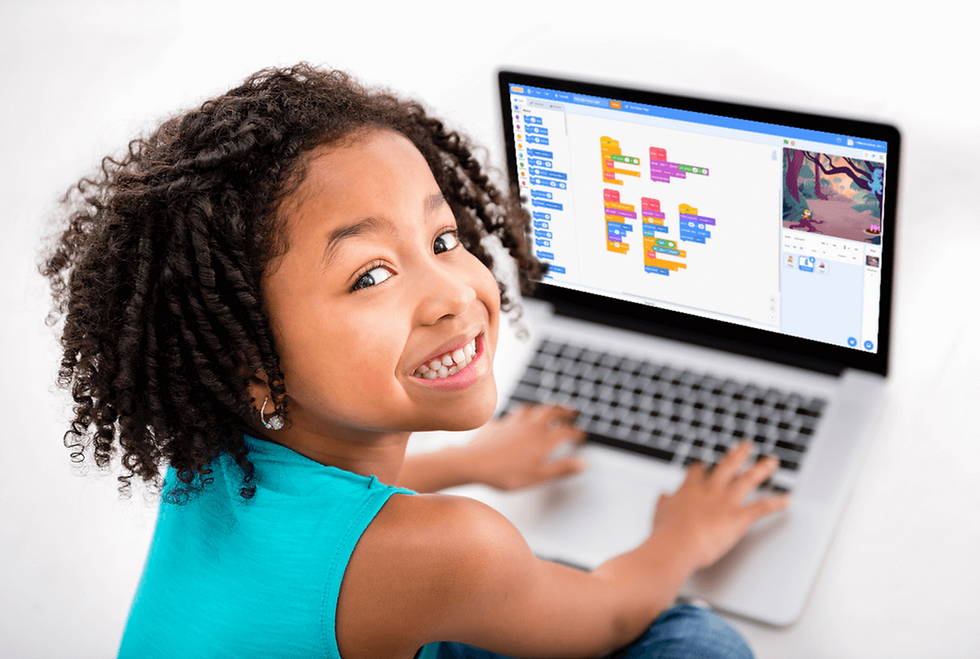
Scratch is a free, block-based coding language developed by MIT. Instead of typing complicated syntax, kids just drag and snap together colorful blocks that tell characters what to do.
It’s like LEGO, but for logic.
With Scratch, your child can:
Make their own games
Animate stories
Create music and art
Learn real programming concepts like loops, variables, and conditionals — without even realizing it
Here’s Exactly What We Did (Our Routine)
We used a beginner-friendly course (more on that below), and followed this simple weekly schedule:
🗓 3 Days a Week (30–45 mins)
Day 1: Watch a short video lesson together
Day 2: Try building the same game from the lesson
Day 3: Modify the game — change the art, add a twist, go wild
⚡️ Total time: ~2 hours per week
What I loved most? My child started experimenting on their own. One day they added a fireball power-up to a Flappy Bird clone. Another day they built a game where the cat gets chased by ghosts. That sense of ownership was priceless.
The Best Part? I Didn’t Have to Teach It
We followed a course called Ultimate Scratch 3.0 Coding Bootcamp — designed specifically for kids aged 7–17 with zero experience needed.
It’s:
Video-based (perfect for visual learners)
Project-focused (they build games from day 1)
Self-paced (no pressure, no stress)
They even teach how to think like a game designer, not just how to drag blocks around.
What My Kid Learned (Beyond Coding)
✅ Logical thinking✅ Persistence (bugs = problem-solving practice)✅ Creative confidence✅ A safe place to express ideas digitally
And honestly? They were proud of their work. They showed their games to friends, family, and even their teacher.
Want to Try It?
If you're a parent who wants to give your child a head start in tech — without overwhelm — I highly recommend starting with a Scratch course like this one:
No experience required. No pressure to keep up. Just real, fun learning that sticks.
Final Thoughts
You don’t need to be a coder to raise one.
With the right tools, a little structure, and a lot of curiosity, your kid can go from “I don't know how” to “Look what I built!” in just a few weeks.
Start simple. Start Scratch.And maybe — just maybe — you’ll learn a little something too.


Comments